LeaveCalc for employers
Know who is out, and what they have left.
A staff holiday planner and absence tracker for your whole team: time off, sick leave and holidays in one place. Public holidays for your country and region added in one click, balances in days or hours, and your week starts on the day you choose. Employees ask through a link and you approve in one click.
Free for up to 3 people, with a 14-day Pro trial. No card. Public holidays and leave minimums for 80 countries built in.
Built for your kind of team
Watch
See it work before you sign up
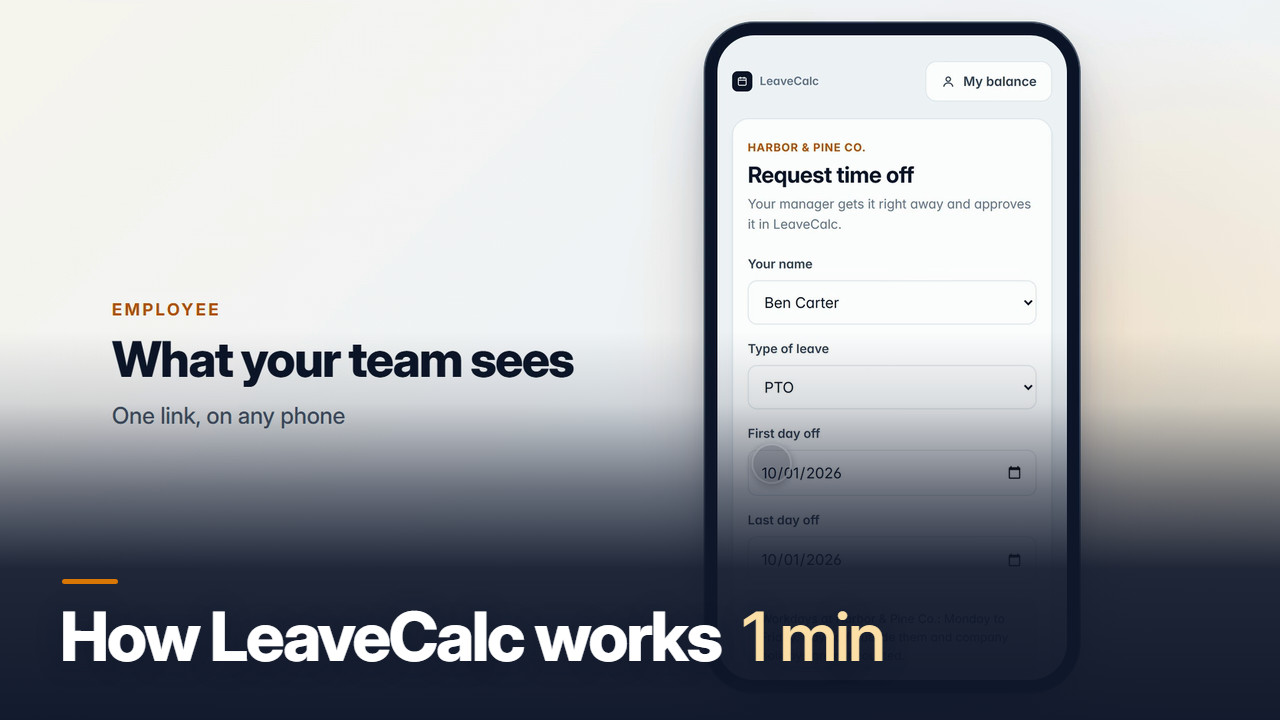
Two short videos: how a request travels from your team to the calendar, and how to set everything up. No sound needed: the subtitles are in the picture.
Features
Everything about who is out, in one place
What a small team needs from a leave tracker, and nothing you have to learn twice.
Balances by local rules
Balances in days or hours, accruing per pay period, per hour worked or as a yearly grant, with caps and carryover. US teams get a sick policy that matches their state.
Requests by link
Share one link. Employees pick their name, leave type and dates, and see the hours before they send. No accounts, no app to install.
Team calendar
Every absence by month or week, filtered by department, with a flag when two people from one team are out. Public holidays for your country and region go in with one click, and your week starts on the day you choose.
Monday summary and calendar feed
Each Monday, one page with who is out this week, who is coming back, pending requests and low balances. Add the feed to Google Calendar, Outlook or Apple Calendar.
Payroll export
Pick a pay period and download a CSV of leave hours by person and leave type, ready for your payroll run. Ready-made files for ADP Workforce Now, Gusto, Paychex Flex, QuickBooks Online Payroll and Paylocity are included too: you download one and upload it to your payroll service. It is not a live connection.
FMLA deadlines
For US teams: open a case and LeaveCalc keeps the rolling 12-month balance and the notice deadlines, 5 business days for eligibility, 15 calendar days for certification, with the WH-381 notice prefilled.
Doctor’s notes and documents
Employees attach a sick note or another document to a time off request, from the app or from their own page. For each leave type you choose whether to ask for one: never, optional, or required after a number of working days, and you can hold approval until it is attached. Files are stored encrypted, apart from your other records. Only the employee, the owners and the managers you allow can open them, every view is logged, and they are deleted after the time you choose. A company on the Free plan can keep 50 MB of files, a paid plan 1 GB. How documents are kept private
Licenses and certificatesNEW
Track expiry dates for licenses, certifications and training. The employee and their manager are reminded at 60, 30 and 7 days, and anyone without a required credential shows as Missing. Included in every plan.
New in every plan
Connect it to the tools you use
People operations, with dates and records
How it works
Set up once, then it runs itself
Most teams are done the first afternoon.
Type or import a CSV, then set opening balances.
A CSV file is dropped onto the People page. Twelve people appear with their opening balances and a message confirms 12 people imported.
A policy is built by choosing a state, which applies the rule of 1 hour per 30 hours worked. One click adds 11 public holidays to the calendar.
An employee fills in the public request form on a phone and sends it. The request reaches the manager with the hours and balance worked out. The manager approves it and the PTO balance drops from 46.2 to 6.2 hours.
Local rules for your country
Local rules, built in
Pick your country to see the statutory minimums and public holidays LeaveCalc sets up for your team.
80 countries, 39 rule sets, plus state sick-leave rules and FMLA deadlines for US teams.
Rules on file as of September 2026.
Also see
Pricing
Priced by team size, not by feature
Every plan has every feature except SAML single sign-on, which is for Business and Enterprise. You pay only when your team grows.
Free
For teams up to 3 people
$0per month
- Every feature except SAML single sign-on
- Requests, balances and team calendar
- Public holidays for your country
- Payroll CSV export
- US state rules and FMLA deadlines
Pro
For teams of 4 to 25 people
$15per month
14-day free trial
- Everything in Free
- Up to 25 people
- Pay yearly and get 2 months free
- Cancel any time
Business
For teams of 26 to 100 people
$69per month
14-day free trial
- Everything in Free
- Up to 100 people
- SAML single sign-on
- Pay yearly and get 2 months free
- Pay a year by invoice, due in 30 days
- Cancel any time
Enterprise
For teams of more than 100 people
$149per month
30-day money-back guarantee
- Everything in Free
- No limit on people
- SAML single sign-on
- Pay yearly and get 2 months free
- Pay a year by invoice, due in 30 days
- Cancel any time
No card for Free or the trial. Cancel any time. 30-day money-back guarantee on paid plans.
Comparing options? See pricing compared
Running a larger organisation? See LeaveCalc for organisations.
FAQ
Questions, answered plainly
No. You share one request link. Employees open it on any phone or computer, pick their name, the leave type and the dates, and send. You get the request with the hours and the balance after, and approve or deny it in the app.
Yes. Your company's records live on our server in the United States, kept separate from every other company's, and we never sell them or use them for advertising. You can export your data any time. The details are in our privacy policy.
Yes. The app works anywhere, in English, today. Public holidays for 80 countries and statutory leave minimums for Canada (federal and provinces), the UK, Ireland, Australia, New Zealand, most of Western Europe, Singapore, Malaysia, Japan, South Korea, India, the Philippines, Hong Kong, the UAE, South Africa, Brazil and Mexico are built in. You can also add public holidays for any other country, track balances in days or hours and start your week on any day, and set your own policies anywhere we don't have a preset yet. US teams get state sick-leave rules and FMLA deadlines built in too.
FMLA only covers private employers with 50 or more employees, and an employee qualifies only if 50 employees work within 75 miles of their worksite, among other conditions. Under that size FMLA does not apply to you, but state paid sick leave and your own PTO policy still do, and LeaveCalc tracks both. Some states also have their own family-leave laws that reach smaller employers.
Yes. On the People page you can paste rows or upload a CSV file, then set opening balances so the numbers match your records from day one.
Each preset follows that state's paid sick leave law as of the date shown in the rules block, with a link to the official source. Rows we are less certain about are marked "Verify before relying on it". Some cities and counties set higher minimums than their state, so check local rules too. You can edit every preset.
It is still there at /fmla-tracker/, and it keeps its data in your own browser. LeaveCalc for Employers is the hosted version: request links, a team calendar, PTO and sick balances and FMLA cases in one place, from any device.
The People page shows how many seats you use. When you reach the limit, move to Pro ($15 a month, up to 25 people), Business ($69 a month, up to 100) or Enterprise ($149 a month, no seat limit). Paying yearly costs ten months for twelve, and Business and Enterprise can pay a year by invoice from the Billing page in the app. Every new company also gets a 14-day Pro trial with no card, and after 14 days it falls back to the Free plan unless you pay. You can cancel any time, and paid plans have a 30-day money-back guarantee. See the refund policy.
Yes. An employee can attach a PDF, JPG, PNG or HEIC file (up to 10 MB each, 5 per request) to a time off request, from the app or from their own page. A person with no email address on file can add one from the request link right after sending the request. For each leave type you choose whether to ask for a document: never, optional, or required after a number of working days. You can also hold approval until one is attached, and an owner can waive that. Files are stored encrypted, apart from your other records. Only the employee, the owners and the managers an owner allows can open them. A manager limited to one department never sees sick leave, FMLA or other protected leave documents, and every view, download and deletion is written to the activity log. Documents are deleted 3 years after the request ended unless you choose 1 year, 7 years or to keep them. A company on the Free plan can keep 50 MB of files and a paid plan 1 GB. LeaveCalc has no virus scanning, so a file is never opened inside the app: it only downloads. Most leave trackers do not have this. Documents and medical notes
Set up your team today.
Free for up to 3 people, no card. Add your team, set your policies, share the link.