LeaveCalc for medical practices
Staff time off tracking for clinics and medical offices.
See which therapists, assistants and front desk staff are out this week, approve time off from one link and keep PTO and sick balances current. It is a leave tracker for a small clinic that follows the local rules where you work, with no separate HR system to learn.
Free for up to 3 people, with a 14-day Pro trial. No card. Public holidays and leave minimums for 80 countries built in.
Built for medical practices
The time off problems a clinic actually has
01
Two people out and a full appointment book
Patients are booked weeks ahead, so a gap in the roster is a gap in the schedule, and you usually learn about it late.
What LeaveCalc doesGive Providers, Therapy and Front desk their own department. The calendar flags any day when two people from the same one are out, early enough to move appointments.02
Part-timers, locums and sick leave
Clinics lean on part-time staff, locums and per-session hours, and in many places paid sick leave applies even to a very small clinic. US note FMLA only reaches employers with 50 or more employees, so most clinics are outside it, while state paid sick leave can still apply.
What LeaveCalc doesPick your state or country and LeaveCalc sets up the sick policy with its accrual rate and cap. Accrual runs from each person's usual weekly hours, and you adjust when a week runs long or short.03
Time off arranged in the break room
A text to the practice manager, a note on the whiteboard, a word at the front desk. Nobody is sure of the balance, and nothing is written down.
What LeaveCalc doesShare one request link. Each request arrives with the dates, the hours and the balance after, and you approve or deny it in one click.
Features
Everything about who is out, in one place
What a small clinic needs from a leave tracker, and nothing you have to learn twice.
Balances by local rules
PTO and sick leave in days or hours, accruing per pay period, per hour worked or as a yearly grant, with caps and carryover. US teams get a sick policy that matches their state.
Requests by link
One link for the whole clinic. Staff pick their name, leave type and dates, see the hours first and send. No accounts to create and no app to install.
Team calendar
Absences by month or week, filtered by department, with a flag when two people from one team are out. Public holidays for your country go in with one click.
Monday summary and calendar feed
One page each Monday: who is out this week, who is back, pending requests and low balances. The calendar feed works with Google Calendar, Outlook and Apple Calendar.
Payroll export
Choose a pay period and download leave hours by person and leave type as a CSV for your payroll run or your bookkeeper. Ready-made files for ADP Workforce Now, Gusto, Paychex Flex, QuickBooks Online Payroll and Paylocity are included too: you download one and upload it to your payroll service. It is not a live connection.
FMLA deadlines
For US clinics large enough to be covered: open a case and LeaveCalc keeps the rolling 12-month balance and the notice deadlines, with the WH-381 notice prefilled.
Doctor’s notes and documents
Staff attach a sick note or another document to a time off request, from the app or from their own page. For each leave type you choose whether to ask for one, and you can hold approval until it is attached. Files are stored encrypted, apart from your other records, and only the employee, the owners and the managers you allow can open them. They are for your staff’s own paperwork, not patient information. Every view is logged, and files are deleted after the time you choose. How documents are kept private
Licenses and certificates for your clinicNEW
Professional registration, BLS / CPR, manual handling, safeguarding, background checks and immunisation records in one list, with expiry reminders for the clinician and the practice manager. Included in every plan.
How it works
Set up once, then it runs itself
Most teams are done the first afternoon.
Type or import a CSV, then set opening balances.
A CSV file is dropped onto the People page. Twelve people appear with their opening balances and a message confirms 12 people imported.
A policy is built by choosing a state, which applies the rule of 1 hour per 30 hours worked. One click adds 11 public holidays to the calendar.
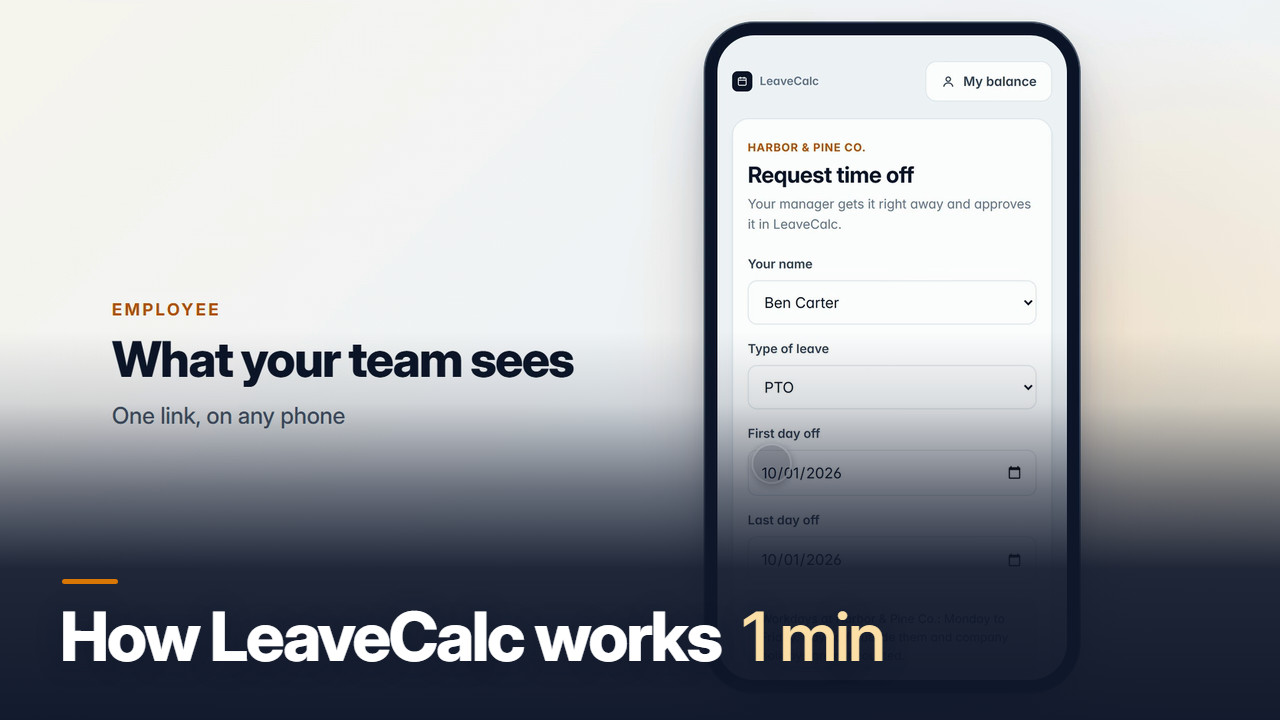
An employee fills in the public request form on a phone and sends it. The request reaches the manager with the hours and balance worked out. The manager approves it and the PTO balance drops from 46.2 to 6.2 hours.
Local rules for your country
Local rules, built in
Pick your country to see the statutory minimums and public holidays LeaveCalc sets up for your team.
80 countries, 39 rule sets, plus state sick-leave rules and FMLA deadlines for US teams.
Rules on file as of September 2026.
Pricing
Priced by team size, not by feature
Every plan has every feature except SAML single sign-on, which is for Business and Enterprise. You pay only when your team grows.
Free
For teams up to 3 people
$0per month
- Every feature except SAML single sign-on
- Requests, balances and team calendar
- Public holidays for your country
- Payroll CSV export
- US state rules and FMLA deadlines
Pro
For teams of 4 to 25 people
$15per month
14-day free trial
- Everything in Free
- Up to 25 people
- Pay yearly and get 2 months free
- Cancel any time
Business
For teams of 26 to 100 people
$69per month
14-day free trial
- Everything in Free
- Up to 100 people
- SAML single sign-on
- Pay yearly and get 2 months free
- Pay a year by invoice, due in 30 days
- Cancel any time
Enterprise
For teams of more than 100 people
$149per month
30-day money-back guarantee
- Everything in Free
- No limit on people
- SAML single sign-on
- Pay yearly and get 2 months free
- Pay a year by invoice, due in 30 days
- Cancel any time
No card for Free or the trial. Cancel any time. 30-day money-back guarantee on paid plans.
FAQ
Questions, answered plainly
No. You share one request link. Staff open it on any phone or computer, pick their name, the leave type and the dates, and send. You get the request with the hours and the balance after, and approve or deny it in the app.
US note: the US Department of Labor says FMLA covers private-sector employers with 50 or more employees in 20 or more workweeks in the current or previous calendar year, and an employee must work at a location with at least 50 employees within 75 miles. Most small clinics are therefore outside it, though state paid sick leave often still applies. Source: dol.gov/agencies/whd/fmla.
Yes. Give each person a department, such as Providers, Therapy, Care or Front desk. The calendar filters by department and flags days when two people from the same department are out.
US note: in states that accrue sick leave per hour worked, part-time staff earn it too. LeaveCalc accrues from each person's usual weekly hours and lets you add an adjustment when a week runs long or short. Rules differ by state and country, so pick yours when you set the policy.
No. LeaveCalc holds staff records only: names, departments, leave dates and balances, and a staff member’s own sick note if you ask for one. It has no place for patient details, so keep them out of request notes and do not attach patient records.
Yes. Licenses and certificates are included in every plan: professional registration, BLS / CPR, manual handling, safeguarding, background checks and more, with reminders to the clinician and the practice manager. See medical license tracking, or the general page on employee license tracking.
Yes. Your company's records live on our server in the United States, kept separate from every other company's, and we never sell them or use them for advertising. You can export your data any time. The details are in our privacy policy.
Yes. The app works anywhere, in English. Public holidays for 80 countries are built in, plus statutory leave minimums for Canada, the UK, Ireland, Australia, New Zealand and other countries, and you can set your own policies anywhere we do not have a preset.
Yes. An employee can attach a PDF, JPG, PNG or HEIC file (up to 10 MB each, 5 per request) to a time off request, from the app or from their own page. A person with no email address on file can add one from the request link right after sending the request. For each leave type you choose whether to ask for a document: never, optional, or required after a number of working days. You can also hold approval until one is attached, and an owner can waive that. Files are stored encrypted, apart from your other records. Only the employee, the owners and the managers an owner allows can open them. A manager limited to one department never sees sick leave, FMLA or other protected leave documents, and every view, download and deletion is written to the activity log. Documents are deleted 3 years after the request ended unless you choose 1 year, 7 years or to keep them. A company on the Free plan can keep 50 MB of files and a paid plan 1 GB. LeaveCalc has no virus scanning, so a file is never opened inside the app: it only downloads. Documents are for your staff’s own paperwork, such as a sick note. LeaveCalc is not a place for patient information, so do not attach patient records. Documents and medical notes
LeaveCalc for other teams
Also in LeaveCalc
Safety and people records
Set up your team today.
Free for up to 3 people, no card. Add your team, set your policies, share the link.