How it works
How LeaveCalc works
To track employee time off you need three things: a way for people to ask, a record of what each person has left, and one place that shows who is out. LeaveCalc does all three. Your team asks from one link, you approve with one click, and balances and the calendar update themselves.
Free for up to 3 people, with a 14-day Pro trial. No card. The full story takes one minute to watch.
Watch
Two short videos
No sound needed: the subtitles are in the picture, and the full transcript is under each video.
1 minute 2 seconds
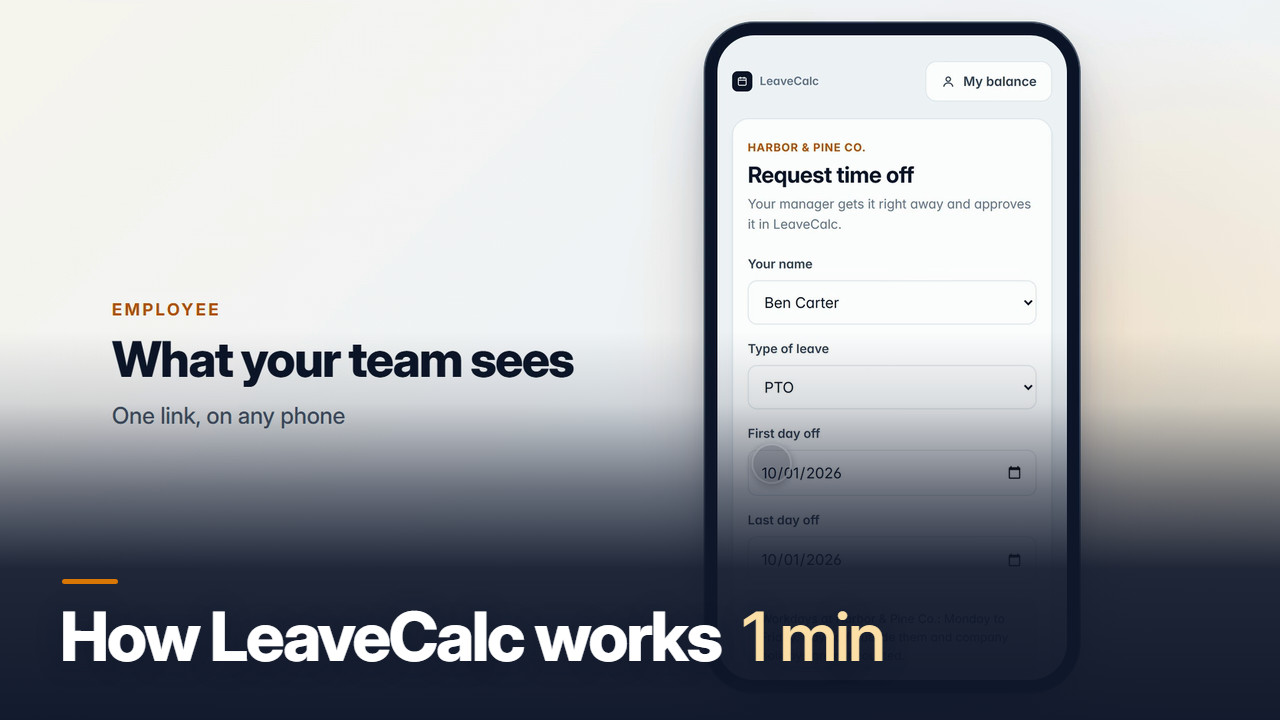
How LeaveCalc works in one minute
Your team asks, you approve, and everything stays up to date.
Read the transcript
Every word of the narration, with the time it is said.
- Your team asks for time off from one link.
- No app, no account.
- They pick their name, choose the days, and add a note if they like.
- One tap sends it, and the page confirms it was sent.
- In LeaveCalc, the request appears under Requests.
- You see what it does to their balance, and who else is out at the same time.
- Approve it here with one click, or straight from the email.
- Their balance updates the moment you approve.
- The calendar shows the approved days right away.
- Today shows who is out, and what needs your attention.
- Nothing to update by hand.
- The calendar and balances update themselves.
- Balances for the whole team are always current.
- You can see at a glance how much each person has left.
- Licenses and certificates live in the same place,
- with expiry dates, so you see what runs out next.
- That is all it takes.
- Your team asks, you approve, and the rest stays up to date.
- Try it free at leavecalc.com.
Captions file: how-it-works.vtt
1 minute 22 seconds
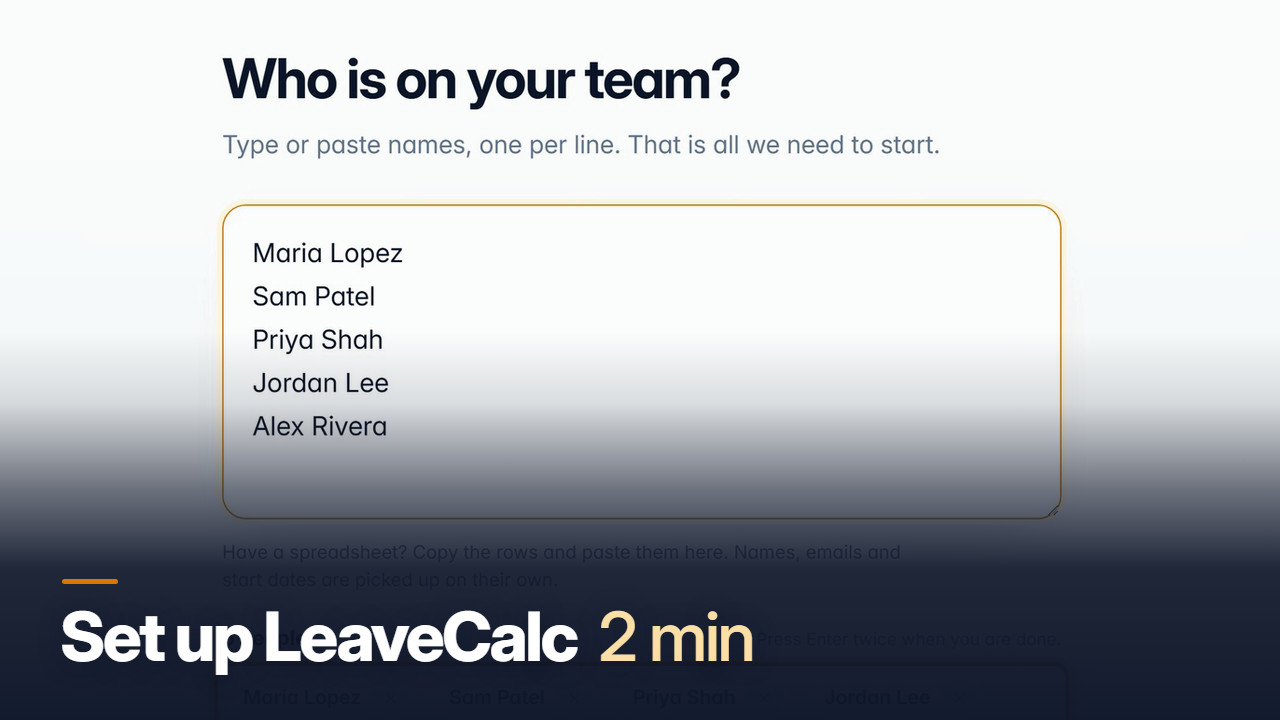
Set up LeaveCalc in two minutes
From a blank account to a link your team can use.
Read the transcript
Every word of the narration, with the time it is said.
- Start by creating your account.
- You need an email, a password, and your company name.
- Choose your state.
- LeaveCalc uses it for the sick leave rules.
- Now all you need is the names of your team.
- Type them one per line.
- Each name shows up as you go, so you can check it.
- Got a spreadsheet?
- Copy a few rows and paste them.
- Names and emails are picked up on their own.
- With our five names in, we continue.
- Next, pick how much paid time off a full-time person gets in a year.
- We will choose 10 days.
- You can change it any time.
- For sick leave, we keep the recommended choice.
- It follows the rules in Oregon.
- The kind of business is optional.
- It only helps suggest department names.
- We pick Medical or care.
- The last screen shows what your team will see.
- It is your real request page, on a phone.
- Copy the message, and paste it into your team chat or an email.
- The link is already in it.
- Or open a poster for the staff room.
- People scan its QR code with their phone.
- Then choose Done to open your dashboard.
- Your dashboard shows what happens now.
- Someone asks through the link.
- You get an email and approve with one click.
- Balances and the calendar update themselves.
- Try it free at leavecalc.com.
Captions file: set-up.vtt
In text
Three steps, for people who would rather read
The same story as the videos, without the sound.
Add your team
Type or paste names, one per line. Emails, start dates and hours are optional. Pick how much paid time off a full-time person gets in a year, and keep the sick leave rule suggested for your state.
Share one link
Everyone uses the same request link. They open it on any phone, pick their name, the kind of leave and the days, add a note if they like, and send. No account, no app.
Approve in one click
The request appears under Requests with its effect on their balance and who else is out. Approve it there or from the email, and the balance and the calendar update at once.
How does a leave tracker work?
Rules, requests and balances
A leave tracker keeps three things. The rules say how much time off each person earns. The requests say who asked for which days and what you decided. The balances say what each person has left.
When you approve a request, the days come off the balance and appear on the calendar. Each person's own working days decide what counts, so a day off for someone on 6-hour days is 6 hours.
- Today shows who is out and what needs your attention
- The calendar shows approved days the moment you approve
- Balances for the whole team are always current
- Licenses and certificates sit in the same place, with expiry dates
Employee time off tracking for a small business
You do not need an HR system. Five to fifty people need a request link, a balance for each person and one calendar. LeaveCalc is free for up to 3 people, then a flat monthly price for up to 25 people, up to 100 or any number, with no price per employee.
Public holidays for 80 countries and US state sick leave rules are built in, so the first setup is mostly names.
What else is inside
Built for the rules small teams run into
Each of these has its own page.
More that comes with every plan
Approvers, delegates, reports, doctor’s notes, calendar invitations and a real person to ask.
Approvers and delegates. Choose who approves each person's time off and who decides while they are away. Reminders go out when a request waits.
Report builder. Filter by department, location, leave type and period, then save, export, print or send by email on a schedule.
Time off taken report. See who has not taken time off for a while and whose saved-up leave is piling up, in Reports and on the Today card for owners and managers. An optional monthly email and an optional reminder to employees are off until an owner switches them on.
Doctor’s notes and documents. Employees can attach a sick note to a request. You choose which leave types ask for one, and only the people you allow can open the files. How documents are kept private
Calendar invitations. Approved time off arrives as a calendar invitation by email, and can also go to a shared team calendar address.
Ask the developer. A chat inside the app. A real person reads every message and usually answers within a few hours.
Setup in five steps. The guided setup in the video: your team, paid time off, sick leave, the kind of business and the request link.
Pricing
Flat price by team size, everything included
Every plan has every feature except SAML single sign-on, which is for Business and Enterprise. You pay only when your team grows.
Free
$0per month
For teams up to 3 people
Pro
$15per month
For teams of 4 to 25 people, 14-day free trial
Business
$69per month
For teams of 26 to 100 people, 14-day free trial
Enterprise
$149per month
For teams of more than 100 people, no seat limit
No card for Free or the 14-day trial. Cancel any time, with a 30-day money-back guarantee on paid plans. Paying yearly costs ten months for twelve, and Business and Enterprise can pay a year by invoice.
Start freeFAQ
Tracking time off, answered plainly
Keep three things in one place: a way for people to ask, a record of what each person has left, and a view of who is out. With LeaveCalc, you add your team, share one request link, and approve requests from the email or from the Requests screen. Balances and the team calendar update the moment you approve, so there is nothing to update by hand.
A leave tracker holds your rules (how much time off each person earns), the requests (who asked for which days) and the balances (what is left). When a request is approved, the days come off the balance and appear on the calendar. A good tracker also knows each person's working days, so a day off for someone on 6-hour days counts as 6 hours.
Start with the names of your team and one number: how much paid time off a full-time person gets in a year. LeaveCalc sets the rest from sensible defaults, including sick leave rules for your US state, and you can change any of it later. It is free for up to 3 people, and Pro covers up to 25 people for $15 a month, with a 14-day trial and no card.
No. You share one request link. People open it on any phone or computer, pick their name, choose the days and send. You get an email and can approve with one click, and they get the answer by email.
The setup video runs 1 minute 22 seconds and covers every step: creating the account, typing or pasting your team, choosing the yearly time off and the sick leave rule, and sharing the request link. Most teams are finished the same afternoon, and nothing locks you in: every choice can be changed later.
For a handful of people it can be. It stops working when you need balances that follow rules, approvals, a calendar that shows who is out together, or reminders. LeaveCalc is free for up to 3 people, so you can try it next to your spreadsheet. If you want to stay with a file, there are free leave tracker templates too.
Free for up to 3 people with every feature except SAML single sign-on. Pro is $15 a month for up to 25 people and Business is $69 a month for up to 100, both with a 14-day free trial and no card. Enterprise is $149 a month with no seat limit. Paying yearly costs ten months for twelve, and Business and Enterprise can pay a year by invoice. Cancel any time, with a 30-day money-back guarantee on paid plans.
Also see
Try it with your own team.
Free for up to 3 people, no card. The setup video shows every step.